Danbooru
Login Posts Comments Notes Artists Tags Pools Wiki Forum More »
Listing Upload Hot Changes Help

Search

  • Help
guro
scat
furry -rating:g

Artist

  • ? smile (qd4nsvik) 284

Copyright

  • ? original 1.5M

General

  • ? artist name 570k
  • ? beach 120k
  • ? caustics 3.7k
  • ? from above 135k
  • ? guide 437
  • ? how to 1.7k
  • ? multiple views 247k
  • ? no humans 217k
  • ? signature 410k
  • ? simple background 2.6M
  • ? water 273k
  • ? white background 2.2M

Meta

  • ? commentary 2.9M
  • ? highres 7.5M
  • ? ↳ absurdres 2.7M
  • ? translation request 779k
  • ? ↳ check translation 42k

Information

  • ID: 8550805
  • Uploader: lochrin »
  • Date: over 1 year ago
  • Approver: Hereinafter »
  • Size: 2.59 MB .jpg (1920x2560) »
  • Source: x.com/dsuV4sW8qYWHQVL/status/1866769905858777221 »
  • Rating: General
  • Score: 18
  • Favorites: 16
  • Status: Active

Options

  • Resize to window
  • View smaller
  • View original
  • Find similar
  • Download

History

  • Tags
  • Pools
  • Notes
  • Moderation
  • Commentary
Resized to 44% of original (view original)
original drawn by smile_(qd4nsvik)

Artist's commentary

  • Original
  • |
  • Translated
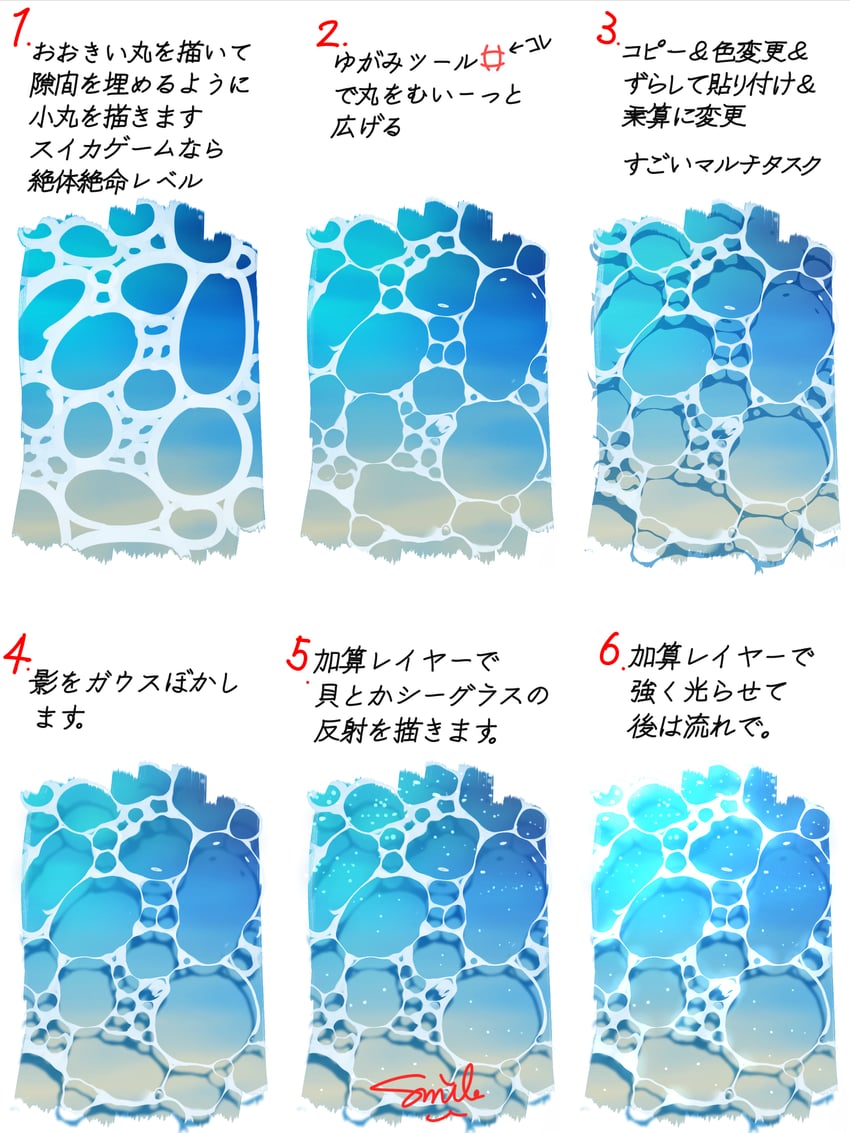
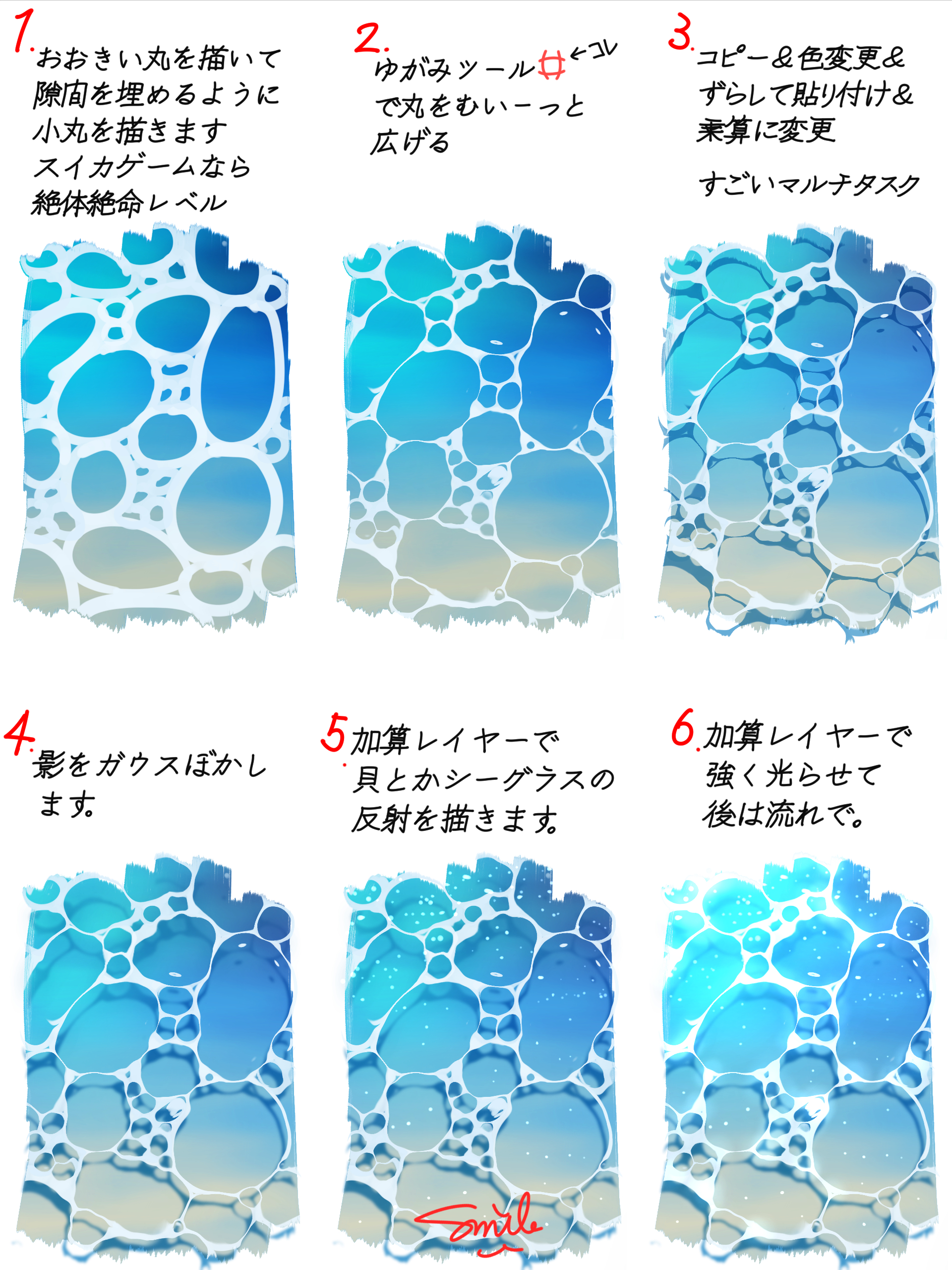
  • 簡単な水面の描き方を爆速解説です✨
    CLIPSTUDIOで描いています🤩

    It's a quick and dirty guide to drawing water surface easily✨
    Drawn in CLIPSTUDIO🤩

    • ‹ prev Search: guide next ›
  • Comments
  • Recommended
  • Loading...

    There are no comments.

    Leave a comment

    Make a copy of the layer, change the color of the drawing, offset it a bit, put behind the original then change blending mode to multiply. What a multitask.
    Draw big circles and fill the gaps with small ones. My condolences if you have this in Suika Game.
    Rough and widen the circles up with the warp tool.
    Gaussian blur the shadows
    Put seashells, sea glass, etc. on a new layer.
    Put lights and flow on a new layer.
    Like this
    Terms / Privacy / Upgrade / Contact /